¶ Overview
Community Shaders feature which provides a photo realistic render for translucent materials like thin fabric and stained/impure glass. This effect makes the material more opaque when seeing it from the side and creating a "rim edge" effect. For example, the crease in a lace sleeve will be much more structured, and glass bottles more antique.
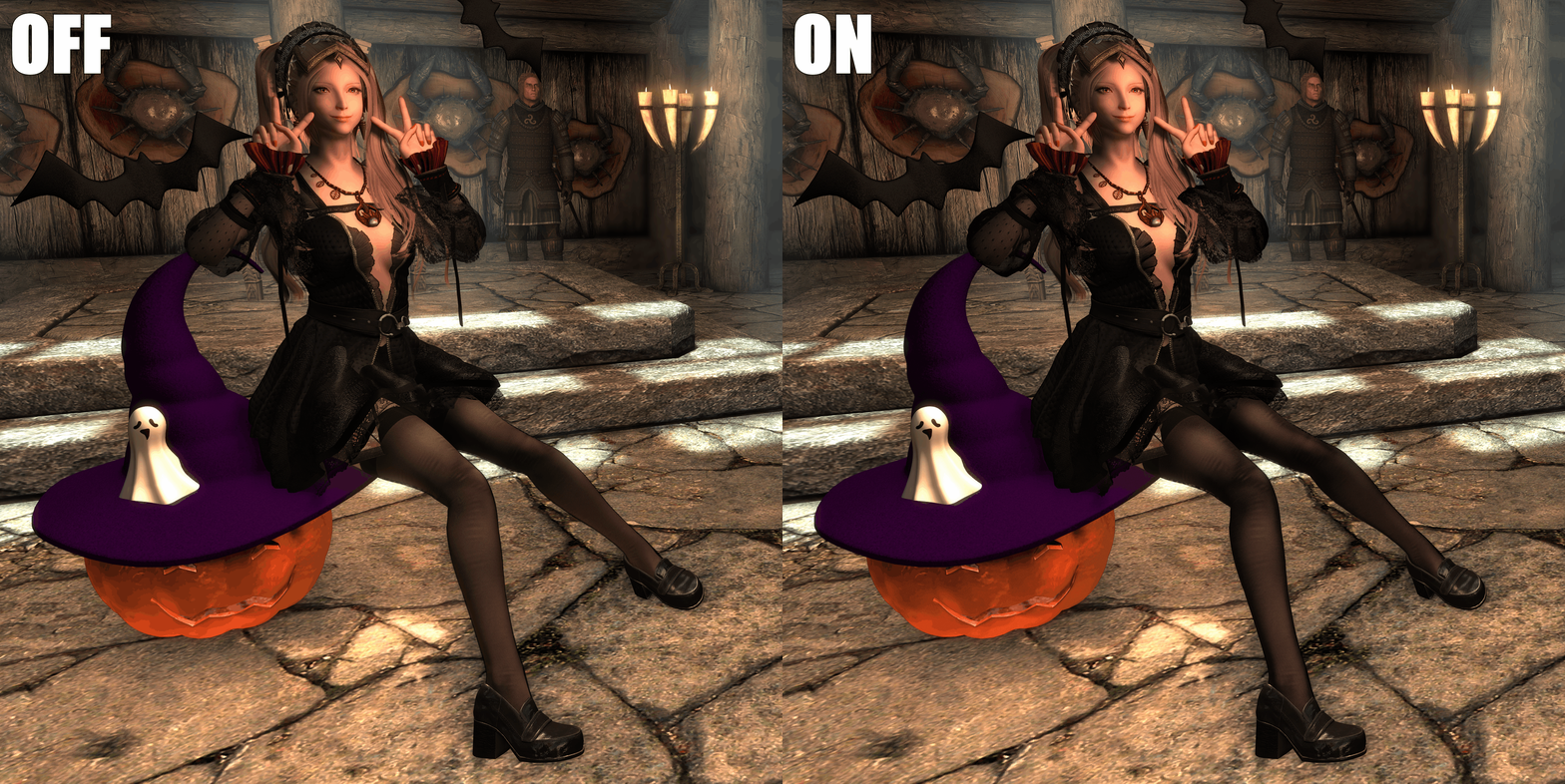
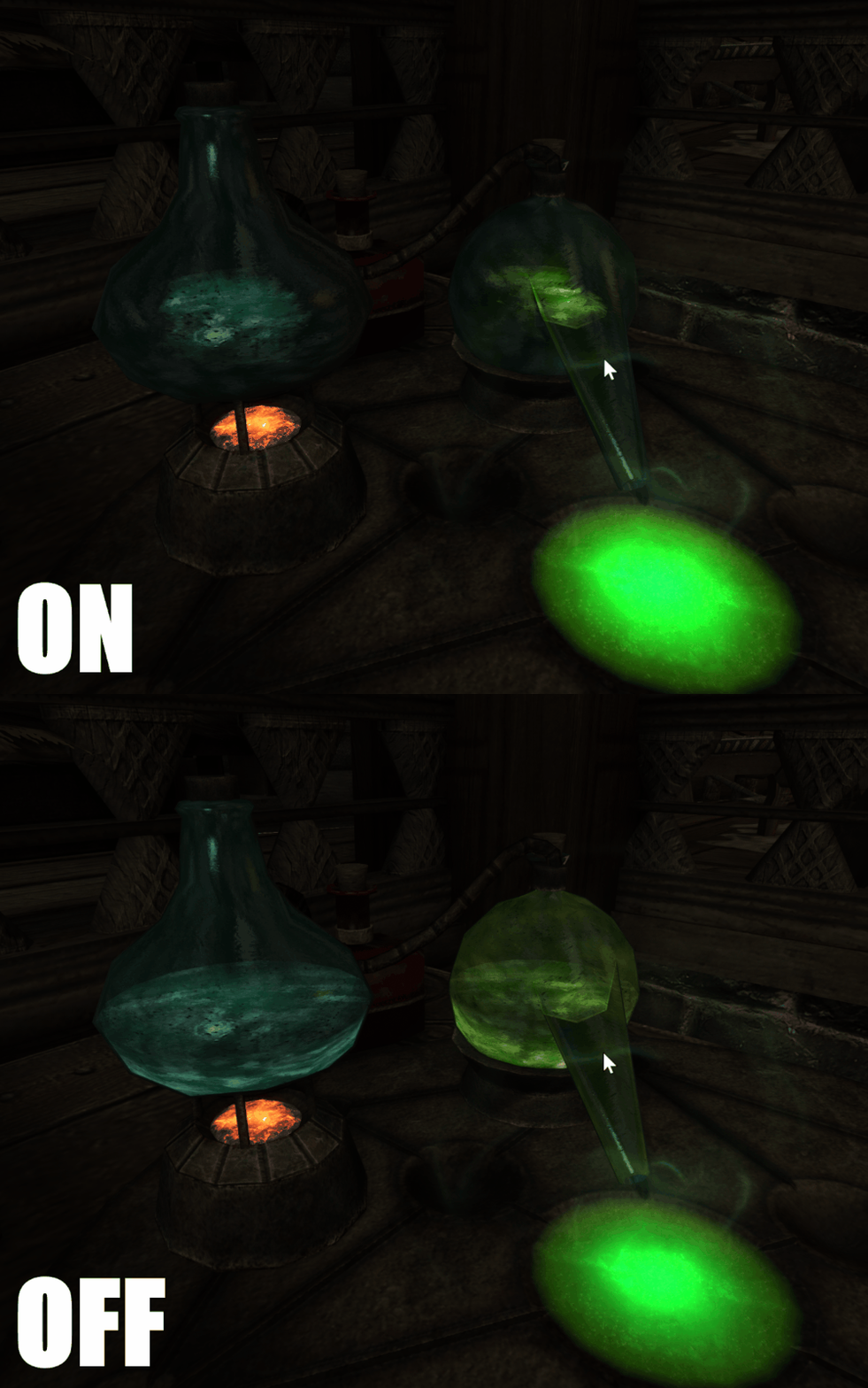
¶ Settings
You can use the END key to open Community Shaders setting menu. Go to the Extended Translucency section:

¶ Material Models
This option controls how the material's opacity react to view direction.

- Disabled (0): No anisotropic transluency
- Rim Light (1): Naive rim light effect. Not based on physical model.
- Isotropic Fabric (2): Imaginary fabric weaved from threads in one direction, respect normal map.
- Anisotropic Fabric (3): (Recommended) Common fabric weaved from tangent and binormal direction but cannot benefit from normal map (Skyrim's tangent/binormal/normal interplanetary data are not affected by normal map).
Note: This option is a global default, each nif mesh can set its own value override this, see modders section for how to change it.
Note: While not specifically modeled, these materials work well for impure glass with low transparency.
¶ Transparency Increase
Translucent material will make the material more opaque on average, which could be different from the intent, reduce the alpha to counter this effect and increase the dynamic range of the output. Change this slider yourself to fit your taste. You can then reduce the alpha channel in the texture yourself based on it.
Note for modders: This effect deduces the fabric thread's thickness and density from the texture's original alpha value. For example, a 0.5 alpha translates to ThreadThickness:ThreadSpaces = 1:1 in Isotropic Fabric model (so that the area allow light to pass is 0.5 when looking from surface normal), thus the alpha is mostly linear with the "xxxD nylonis denser" parameter.

¶ Skinned Mesh Only
Prevent this effect from applying to static meshes. Can help to fix strange transparency related rendering artifacts. This option is currently ON BY DEFAULT, prevents you from seeing the effect on alchemy bottles, distillers, display case, and other static mesh. Turn it off and SAVE your setting if you didn't notice anything annoying like the images below.

¶ For Modders & Advanced Users
You will need Outfit Studio or Nifskope to add a NiIntegerExtraData to the mesh. Give the extra data node a name of AnisotropicAlphaMaterial, and set the corresponding Material Models value (0-3), with 0 to force-disable this effect on the mesh.


Note: Transparency Increase and other settings will not affect meshes with explicit AnisotropicAlphaMaterial settings, to honor the author's intention. Please pre-multiply the transparency increase into the mesh texture's alpha channel.
¶ Compatibility
Like any Community Shaders effect, this mod is not compatible with ENB. It may also have unintended rendering if default-applied to some meshes. The mod's mesh may need to have the Nif Extra Data AnisotropicAlphaMaterial=0 to disable this effect on them.
¶ Performance
This effect has no noticeable performance hit. Its just a few lines of vector math code in shaders like:
alpha = alpha / min(1.0, (abs(dot(view, normal)) + 0.001));
¶ Source
doodlum/skyrim-community-shaders
¶ License & Permission
If you are interested in using this effect's shader code or math in your game, please at least credit us.
¶ Screenshots Mods
¶ Credits
- doodlum for initiating and refining Community Shaders, also helping me tremendously on this effect.
- alandtse for helping me get this effect merged and coaching me debugging graphics pipeline.
- davo0411 for help with the mod page.
- Community Shaders Team, and everyone on the discord server to help me create and test this.
- Caenarvon, SmolSaltLemon, Daymarr for creating high quality clothing and armour mods used in the showcase.