Collections include more than just mods in order to successfully replicate the curator's setup up for users. The additional data includes mod rules, instructions, load order data, tool configurations and settings tweaks. The available options will vary by game and are denoted by the visible tabs in the Workshop view when editing a collection.
¶ Collection Instructions
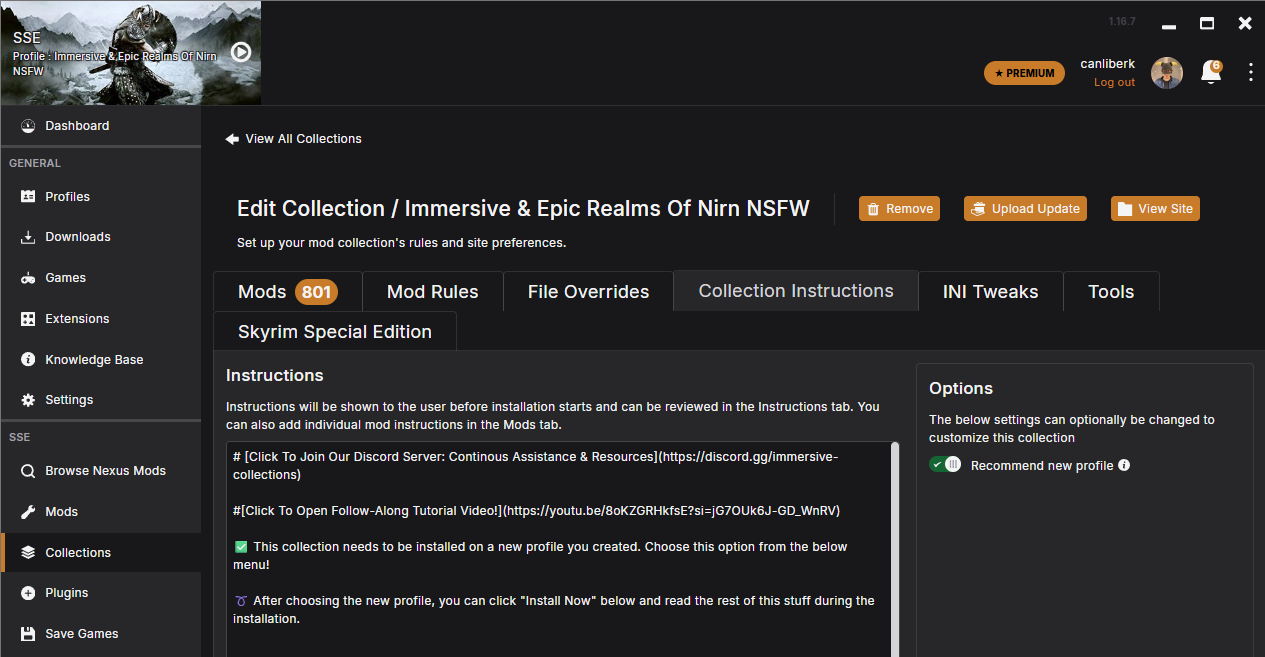
This is a newer feature of collections, that let's you write collection-wide instructions for your collection. Users will see this section first when they view your collection on Vortex, so it is a good idea to use this place as best as possible. What you write here is also going to be shown to users as the first thing on Vortex once they add your collection, in a small pop up.
Things to consider when writing collection instructions:
- If there are any additional setup instructions, this is the place you need to mention
- If this collection is a stand alone one, always click the "recommend new profile" option so users do not install your collection on top of another one.
- If this collection is an add - on or a small thematic one, do not click the "recommend new profile" option so users can enjoy your collection on top of their own setup.
- This section is the first one that gets read by the users, so it is a good section to mention any collection requirements like system requirements, important links, or even ways to reach out to you.
- Even though users should usually know it by this point, this is also a good spot to mention how free and premium Nexus memberships work for collections. Some users will be obvious to the differences and if you do not want them to take their frustration out of you, you can usually mention how the installation works in general here.
- You can include links, emojis and edit your instruction using markdown styling. More info about markdown can be found here: Markdown guide for collections
¶ Mod rules
In the Workshop, the decisions the curator made to manage conflicting mod files are shown in the "Mod Rules" tab. This includes rules to dictate the deployment order of files (which mods should overwrite others) and may also include dependency or incompatibility information. The rules with an active toggle will be made part of the collection when exported and will import into the user's setup.
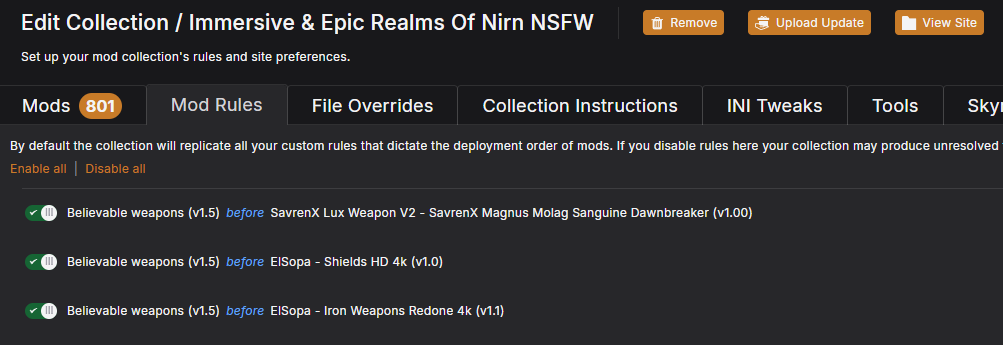
Tip
It is possible to include rules that relate to mods that aren't part of the Collection. For example, if a mod in a Collection should not be loaded with another mod, a rule can be included to inform users if this issue if they happen to have both mods installed.
¶ Load order data
A Collection can include data to help users match the load order of plugins or modules where this is separated from the rules set out by mod rules. The data provided will vary by game but generally falls into two categories.
¶ Load order rules
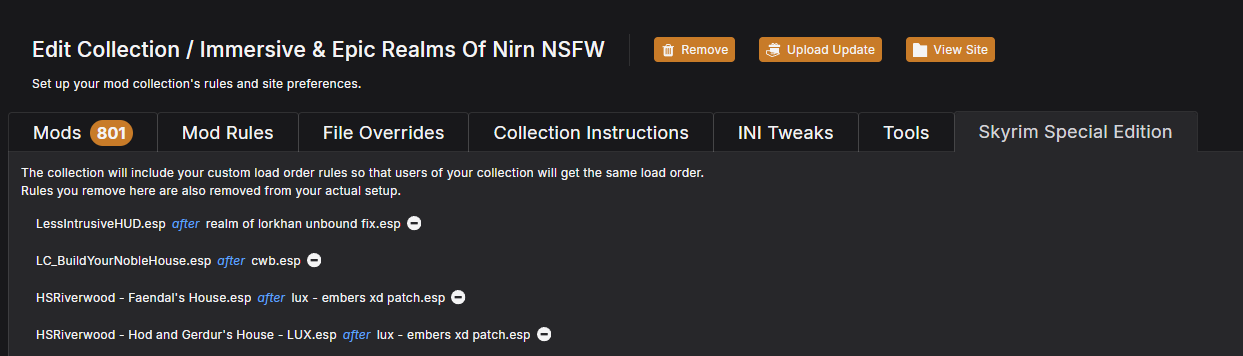
For Gamebyro games (Elder Scrolls or Fallout), the rules and group assignments made in the plugins tab can be included in a collection. These settings will be replicated for the user and will allow the auto-sort to generate an optimum load order. Using rules rather than static load orders makes it far easier to combine multiple collections at once.
¶ Static load order
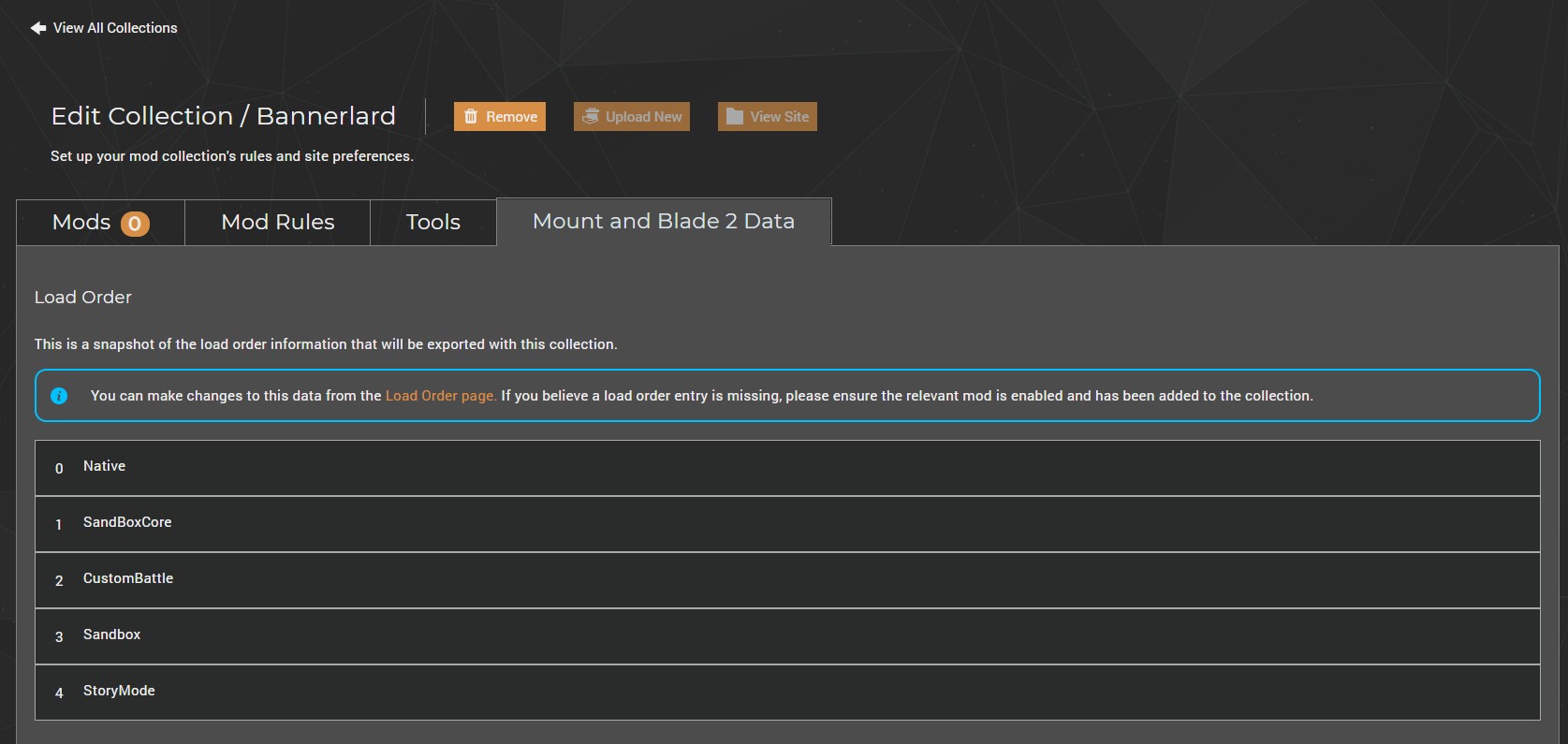
Games that feature a much more simplistic load order can include the entire list of plugins/modules which Vortex will attempt to replicate for the user. If the user has mods that don't exist in the collection, this method may produce unexpected results so it's always wise to provide some general load order guidance.
¶ Tools
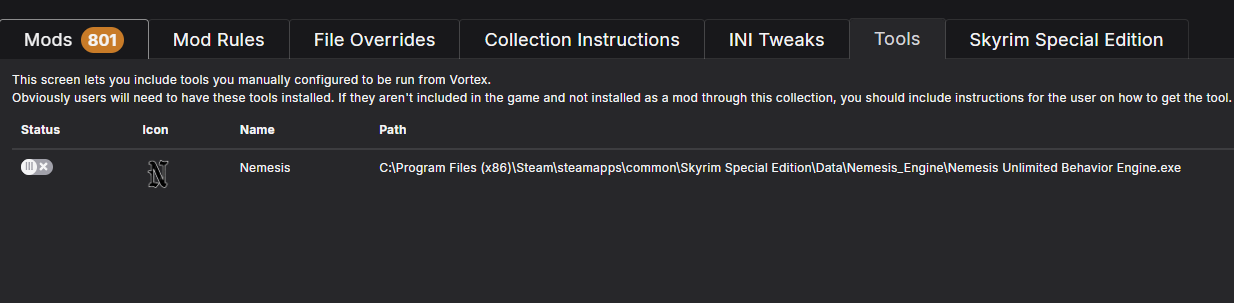
If a collection relies on tools or launchers, the relevant shortcuts can be included from the dashboard. These will be replicated for the user on successful install of the collection. The toggle next to each tool allows curators to decide which of their existing tools to include.
Note: Including a tools only includes the tools shortcut. If the tool itself is not installed to Vortex as a mod (and included in the collection) the users will not be able to use the shortcut after it has been created.
¶ INI Tweaks
For Gamebyro games (Fallout/Elder Scrolls) it is possible to include required or recommended values which can be applied to the INI files of users when the collection is installed. These values can also be toggled by the user post-install from the info panel in the mods table.
The INI tweaks are smaller INI documents that are merged into the user's existing INI documents to override the settings they have in place. Be aware that INI files themselves have a hierachry which means an included tweak may be applied but gets overwritten by a higher priority INI file (e.g. SkyrimCustom.ini overrides Skyrim.ini).
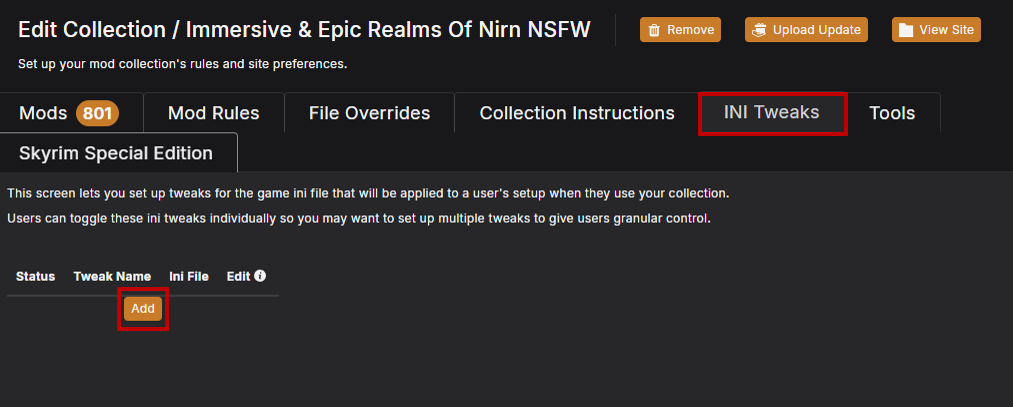
To add a new INI tweak:
- Click "Add".
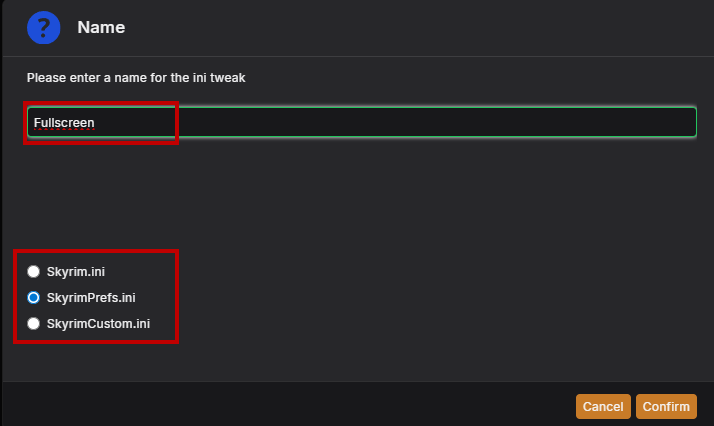
- Give the tweak a name - this a human-readable name that is shown to the user to help them understand the intent of the tweak.
- Select the INI file the tweak applies to.
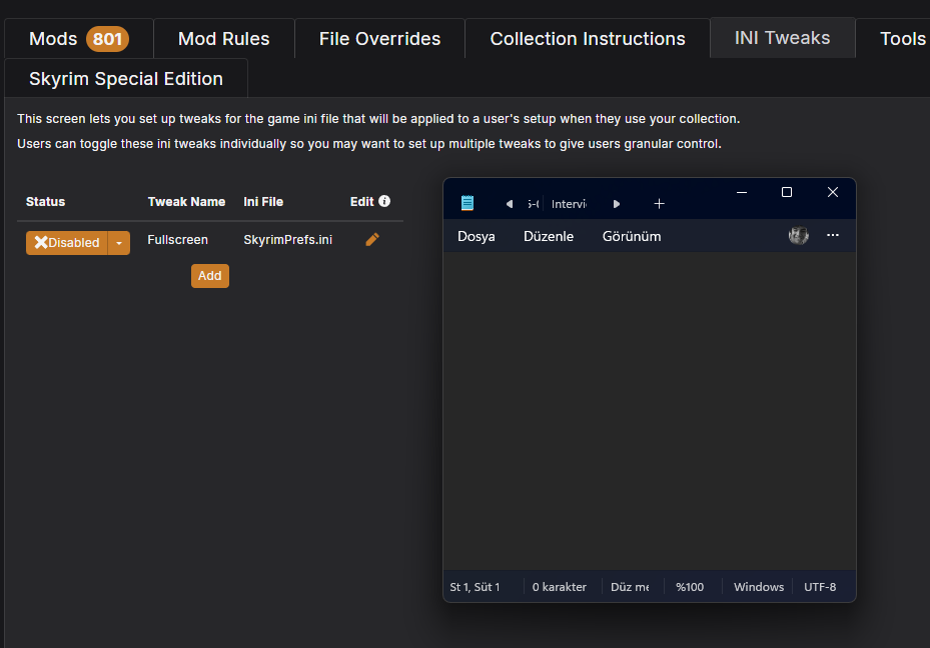
- In the Status column, tweaks can be toggled to be enabled or disabled by default.
- In the Requirement column, tweak can be set as required or just recommended for the collection to work.
- Clicking the pencil icon in the Edit column brings up the text editor associated with "ini" files to allow the curator to make changes. Saving the text document will commit the changes to the collection.
INI tweaks can be useful especially if you just want to tweak a certain, small part of the INI and leave the rest as-is on user end. Adding your own INI as a mod would not let you do that as it would have overwritten the entire INI.
When adding INI values, the section heading must always be present to allow Vortex to correctly apply it.