This article assumes your are using Vortex, the official mod manager of Nexus Mods. If you are using a different application, please review the documentation provided by the developers.
When creating a collection there are three main approaches;
- Create From Profile
- Quick Collection
- Empty Collection
- Clone Another Collection
¶ 1) Creating From Profile
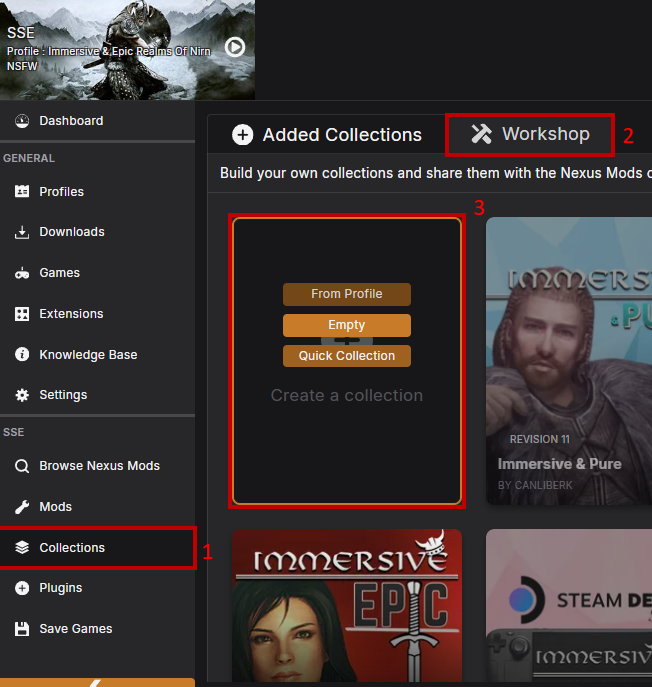
After ensuring you have all the mods you want in a collection installed & enabled & managed (resolving conflictions if there are any) on your current Vortex profile
- In the side menu, go to "Collections"
- Switch to the "Workshop" tab - this is where your curated collections live
- Hover over the area labelled "Create a collection" and select "From Profile"
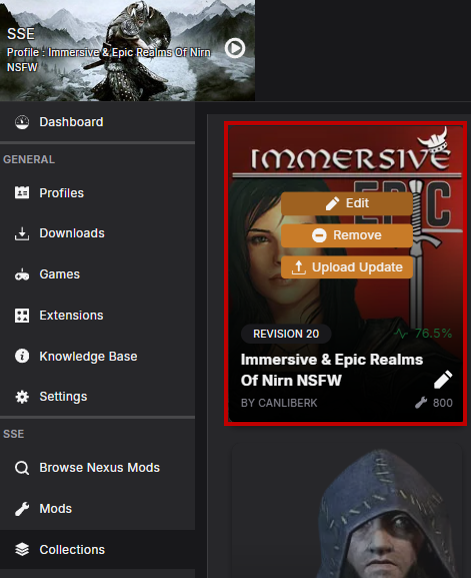
This will turn your currently active profile into a collection. You can edit the name by hovering over the collection tile and selecting the pencil icon in the bottom right. Clicking the "Edit" button at the top will allow you to make changes to the collection, add/remove mods, or further customise it.
¶ 2) Quick Collection
Quick collection works just like creating a collection from your own profile, but it will basically skip all the editing part as it will directly use your default rules, confliction resolutions and sources for all your mods. It is basically using your own profile, and then pressing the publish button immediately after.
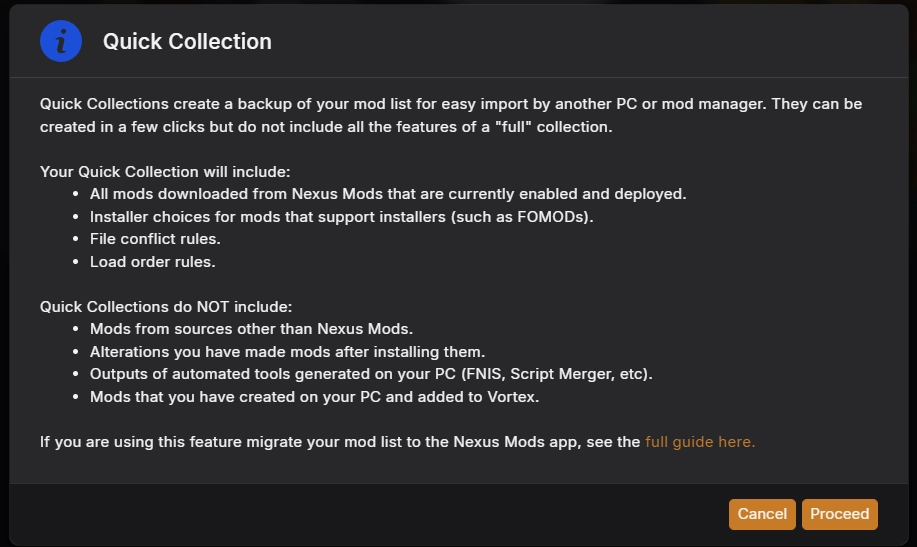
There are some things to keep in mind though, like you can not use external mods, bundled assets and mods that you do not have enabled won't be added to your collection. You can still do these changes afterwards, but only after publishing and then returning to workshop to edit the collection, so be careful. You can read the warnings on the pop up that appears.
¶ 3) Empty Collection
- In the side menu, go to "Collections"
- Switch to the "Workshop" tab - this is where your curated collections live
- Hover over the area labelled "Create a collection" and select "Empty"
- Give your collection a name and confirm by clicking "Create"
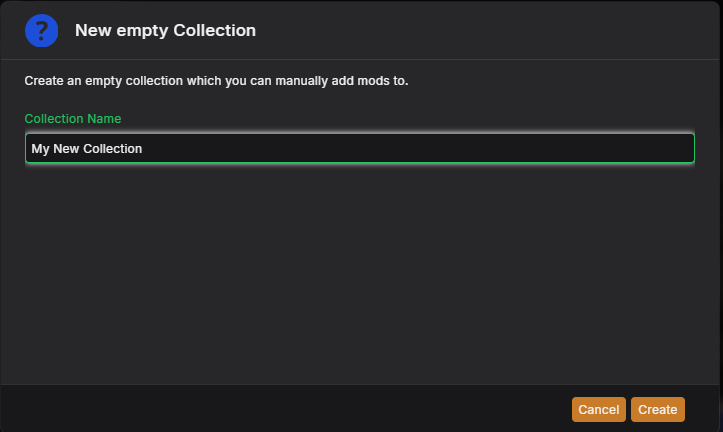
This will create an empty collection that you can now add mods to.
¶ 4) Clone Another Collection
Another thing you can do is to clone an already existing collection you or someone else curated. This way you'll inherit all the changes and edits from revision 1. It is useful for many different reasons, as you can use this for building an add on collection, building your own collection or for simply creating your own "update" or take for a collection that was not updated for a while.
After installing a collection of your choosing,
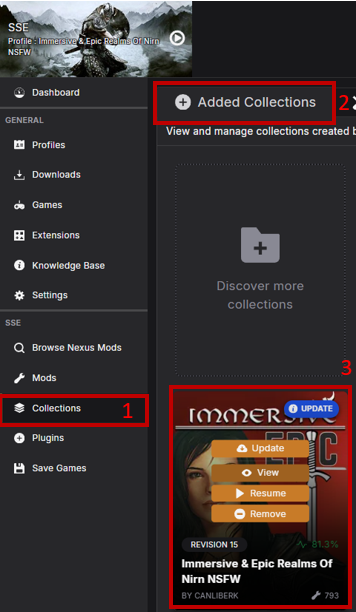
- In the side menu, go to "Collections"
- This time stay in the "Added Collections" tab - do not switch to workshop just yet.
- Hover over the collection you want to clone and click "View".
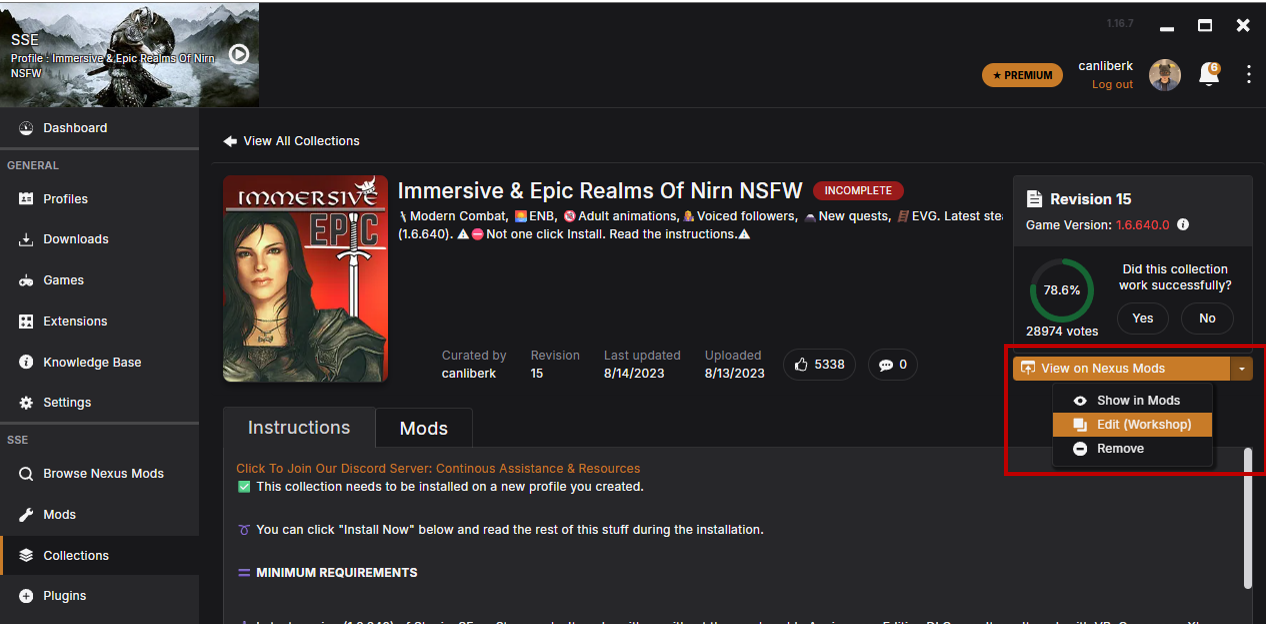
- On the right most side of the screen, find the button that says "View on Nexus Mods" and click on the arrow button pointing down, and click "Edit (Workshop)" button. This will take you to the workshop space where you can make your own changes on a collection.
Note that even though you are able to clone entire collections, you should always follow Guidelines for Collections . This means you should not, for example, clone another collection and publish it under another name.